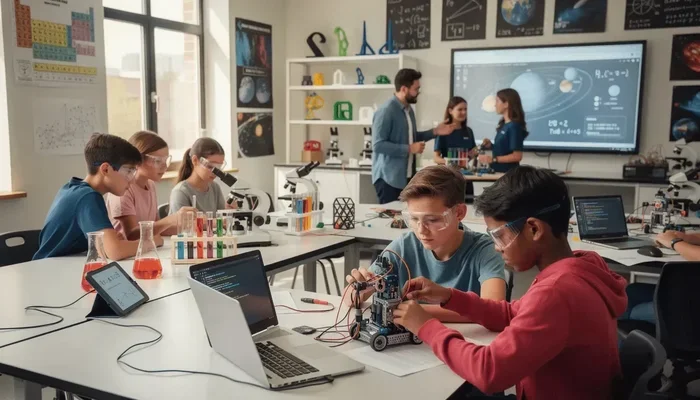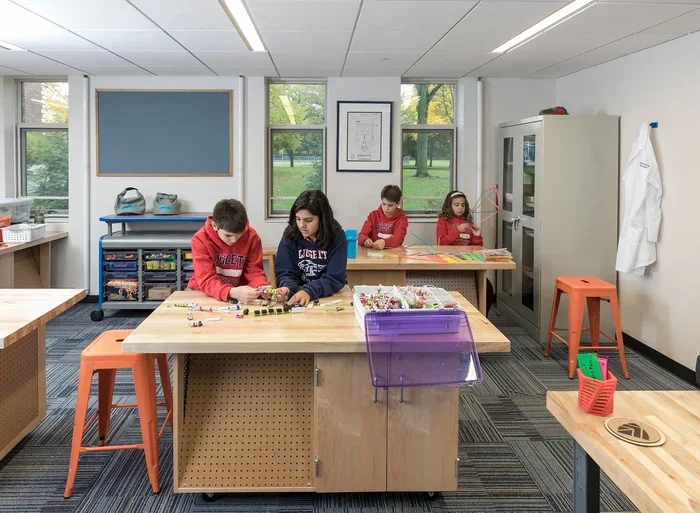
A makerspace in education is a hands-on learning environment where students create, experiment, and collaborate using tools like 3D printers, robotics kits, and craft supplies. It bridges the gap between theory and practice, making STEM education engaging and accessible. Schools that embrace the maker movement see higher student engagement, stronger problem-solving skills, and more creative thinkers.
Key Takeaways
- What it is: A makerspace in education is a dedicated area for hands-on creation and learning.
- Why it matters: It boosts creativity, critical thinking, and collaboration among students.
- Key tools: 3D printers, robotics kits, art supplies, and digital software are common staples.
- Benefits: Students develop real-world skills and deeper subject understanding through project-based learning.
- Getting started: You do not need a huge budget. A simple corner with basic materials can launch a powerful learning experience.
📑 Table of Contents
What Is a Makerspace in Education?
Imagine a classroom where students are not just sitting and listening. They are building, designing, and experimenting with their own hands. That is what a makerspace in education looks like. It is a dedicated area filled with tools and materials where learners create real projects instead of just reading about them.
A makerspace can be as simple as a table with craft supplies or as advanced as a lab with 3D printers and laser cutters. The core idea stays the same: learning by doing. Students explore STEM education concepts through hands-on activities. They fail, fix, and try again. This cycle builds resilience and deep understanding.
Teachers love makerspaces because they turn abstract ideas into something tangible. When a student builds a bridge model, physics stops being a chapter in a textbook. It becomes a real challenge they solve with their own hands. The maker movement has grown fast in schools over the last decade, and for good reason.
How Is a Makerspace Different from a Regular Classroom?
A traditional classroom focuses on lectures, reading, and tests. A makerspace in education flips that model. Students drive the learning. They ask questions, prototype solutions, and present their work. The teacher acts as a guide, not just a speaker. This shift makes learning more interactive and memorable.
Think of it this way. If similes for education compare learning to familiar experiences, a makerspace actually lets students live those experiences. It brings figurative ideas to life in a literal sense. That is the power of hands-on environments.
How Makerspaces Transform the Learning Experience
Traditional classrooms often struggle to keep students engaged. Many learners sit passively and absorb information. A makerspace in education changes that dynamic completely. Students become active participants in their own learning journey.
Building Real-World Skills
When students work on projects in a makerspace, they pick up skills that go beyond academics. They learn to collaborate, communicate, and think critically. These are the same skills employers look for in the real world. A student who builds a robot in a makerspace is practicing engineering, teamwork, and patience all at once.
The maker movement emphasizes that failure is part of the process. Students learn not to fear mistakes. Instead, they see them as stepping stones. This mindset is incredibly valuable throughout life.
Boosting Creativity and Confidence
Every student has creative potential. A makerspace in education gives them the freedom to explore it. There is no single right answer in a makerspace. Students design their own solutions and see their ideas come to life. That confidence carries over into other subjects too.
When teachers use metaphors for education to describe this process, they often compare a makerspace to a canvas. Just as an artist expresses ideas on a canvas, a student expresses understanding through a project. Both require imagination and courage.
Encouraging Cross-Subject Learning
One of the best things about a makerspace is that it naturally blends subjects. A single project might involve math, science, art, and writing. Students see how subjects connect in real life. This interdisciplinary approach makes learning feel relevant and exciting.
For example, students might design a product, write a pitch for it, and calculate its cost. That project touches math, language arts, and business skills. It mirrors what professionals do every day. This kind of project-based learning sticks with students long after they leave the classroom.
Key Components of a School Makerspace
You do not need a massive budget to start a makerspace in education. The right mix of tools and materials matters more than the price tag. Here is what a typical school makerspace includes.
Basic Tools and Materials
- Craft supplies: Cardboard, glue, scissors, tape, markers, and clay.
- Electronics kits: Arduino boards, LED lights, and simple circuits.
- Building materials: Wood blocks, LEGO sets, and recycled items.
- Digital tools: Computers with design software and 3D modeling programs.
Advanced Equipment (For Well-Equipped Spaces)
- 3D printers: Let students turn digital designs into physical objects.
- Laser cutters: Great for precise cutting of wood, acrylic, and other materials.
- Robotics kits: Help students learn coding and engineering together.
- Sewing machines: Open the door to wearable tech and textile design.
Why You Do Not Need Everything at Once
Many teachers start small. A few boxes of craft supplies and a single Arduino kit can spark amazing projects. As the budget grows, you can add more advanced tools. The key is to start and let the maker culture grow organically. Students will surprise you with what they create from simple materials.
Benefits of Makerspace in Education
The advantages of a makerspace in education go far beyond fun projects. Research shows that hands-on learning improves retention, motivation, and deeper understanding. Here are the top benefits schools experience.
| Benefit | How It Helps Students |
|---|---|
| Engagement | Students stay focused and excited about learning. |
| Critical Thinking | Students analyze problems and develop solutions. |
| Collaboration | Students work together and share ideas. |
| Creativity | Students express unique ideas through projects. |
| Resilience | Students learn to handle failure and keep trying. |
| Real-World Readiness | Students gain practical skills for future careers. |
Schools that invest in project-based learning spaces like makerspaces report higher attendance rates and better student attitudes. When learners feel ownership of their work, they care more about the results.
Supporting Diverse Learners
A makerspace in education is inclusive by nature. Students of all skill levels can participate. Visual learners thrive when they build physical models. Kinesthetic learners love the hands-on aspect. Even students who struggle with traditional academics often shine in a makerspace. It levels the playing field in a beautiful way.
Some educators compare this inclusivity to idioms for education that celebrate different paths to success. Every learner brings unique strengths, and a makerspace honors that diversity. It is one of the most powerful aspects of this approach.
How to Set Up a Makerspace in Your School
Starting a makerspace in education does not require a complete overhaul of your school. You can begin small and grow over time. Here is a practical roadmap.
Step 1: Find a Space
You need a dedicated area, but it does not have to be huge. A spare classroom, a library corner, or even a mobile cart can work. The space should be flexible. Tables, chairs, and storage that move easily are ideal.
Step 2: Gather Basic Supplies
Start with low-cost materials. Cardboard, recycled items, basic craft tools, and a few electronics kits go a long way. Ask parents and local businesses for donations. Many companies love supporting education initiatives.
Step 3: Introduce Projects
Plan simple, open-ended projects for the first few weeks. Challenge students to build a tower from spaghetti and marshmallows. Ask them to design a simple circuit that lights up an LED. These quick wins build excitement and confidence.
Step 4: Grow Gradually
Once students and teachers see the value, expansion becomes natural. Add a 3D printer. Introduce robotics kits. Host a school-wide maker fair where students showcase their work. Each new addition deepens the learning experience.
Quick Tips for Success
- Start with low-cost materials and simple projects.
- Let students choose their own projects when possible.
- Display student work proudly to build school-wide excitement.
- Invite community members to share their skills.
- Rotate tools and materials to keep things fresh.
Common Mistakes to Avoid
- Overcomplicating the setup: A makerspace does not need expensive equipment to be effective.
- Ignoring student voice: Let students guide projects. Their interests should drive the agenda.
- Skipping safety training: Even basic tools need clear rules and supervision.
- Treating it as a reward: A makerspace is a learning space, not a prize for good behavior.
The Future of Makerspace in Education
The maker movement is not a passing trend. Schools around the world are recognizing that hands-on learning prepares students for a rapidly changing world. As technology evolves, makerspaces will continue to adapt. Virtual reality, artificial intelligence, and advanced robotics will find their way into school labs.
But the core idea will stay the same: learning by doing. Students will always benefit from environments where they create, experiment, and solve real problems. A makerspace in education gives them that environment every single day.
Change in how we teach is inevitable. Educators who embrace change in life and innovative teaching methods will shape the future of learning. Makerspaces represent that shift beautifully. They turn classrooms into places where students do not just learn about the world. They learn to shape it.
Just as metaphors for change in life remind us that transformation takes courage, a makerspace asks students to take creative risks. They design, build, fail, and try again. That cycle mirrors life itself. And it is exactly what makes makerspace in education so powerful and lasting.
Final Thoughts
A makerspace in education is more than a room full of tools. It is a mindset. It says that every student can create, innovate, and solve problems. It says that learning should be hands-on, collaborative, and joyful. If your school does not have one yet, there is no better time to start.
Begin small. Stay curious. Watch your students thrive. The maker movement is waiting for you, and your students are ready.
Frequently Asked Questions
What exactly is a makerspace in education?
A makerspace in education is a hands-on learning area where students create, build, and experiment using tools like 3D printers, electronics kits, and craft supplies. It focuses on learning by doing rather than passive listening.
Do I need a big budget to start a school makerspace?
No, you do not need a large budget to get started. Basic materials like cardboard, glue, scissors, and a few electronics kits can launch a productive makerspace. You can grow the space gradually as funding allows.
What subjects benefit most from a makerspace?
While makerspaces are especially strong for STEM education, they benefit all subjects. Students practice math when measuring, writing when documenting projects, and art when designing. The interdisciplinary nature of makerspaces makes every subject richer.
Is a makerspace only for older students?
Not at all. Makerspaces work for learners of all ages. Younger students enjoy simple building and crafting activities, while older students tackle more complex robotics and coding projects. The key is matching the tools to the age group.
How does a makerspace help students who struggle academically?
A makerspace gives struggling students a different way to show what they know. Hands-on projects let visual and kinesthetic learners shine. Many students who struggle with traditional tests excel when they can build and create.
What is the difference between a makerspace and a regular computer lab?
A computer lab focuses on digital tasks like typing and software use. A makerspace in education combines digital tools with physical creation. Students design on computers and then build real objects. It bridges the digital and physical worlds.